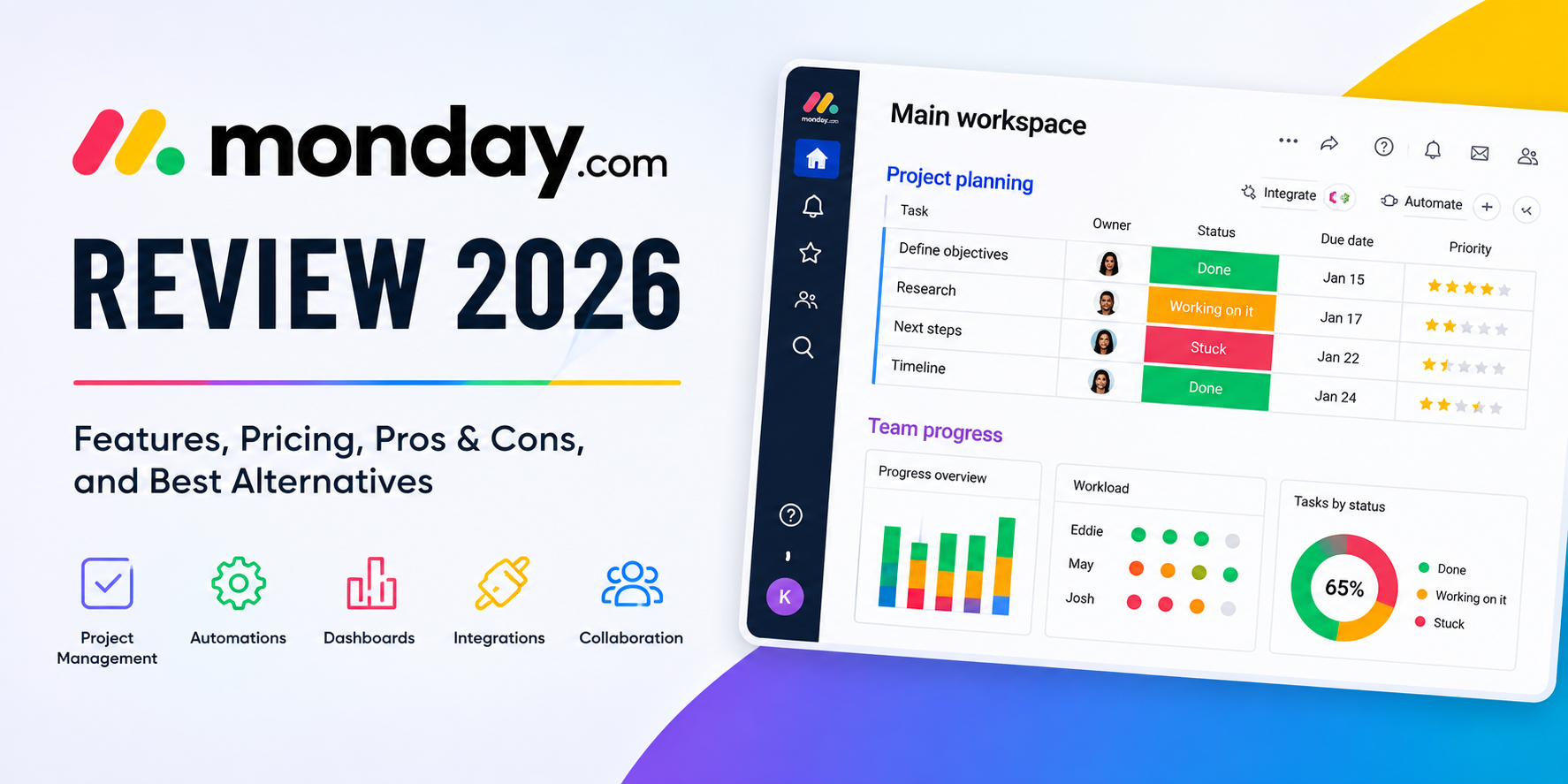
Monday.com is one of the more flexible work-management platforms for teams that want to organize projects, workflows, tasks, documents, automations, integrations, and reporting in one place.
Monday.com is best for growing teams that want a highly customizable work-management system without building one from scratch. Its visual boards, multiple project views, automations, integrations, dashboards, AI features, and large template library make it considerably more flexible than a basic task manager.
The main drawback is that the platform can become expensive and complicated as your team grows. The Free plan is limited to two seats, while useful automation and integration capabilities begin with Standard. Heavy automation users may also find the Standard plan’s 250 monthly automation and integration actions restrictive.
Best overall choice: Pro, for teams that will use monday.com heavily for project management, automation, reporting, and collaboration.
Best for small/simple teams: Free or Basic.
Best for teams using automation regularly: Pro.
Best for large organizations: Enterprise.
This is stronger than generic CTAs such as “Learn More” because it communicates the next step and reinforces monday.com’s current no-credit-card trial messaging. monday.com currently promotes a 14-day free Pro trial with no credit card required.
What Is monday.com?
monday.com is a cloud-based work-management platform designed to help teams organize and manage work through customizable boards, tasks, workflows, documents, dashboards, automations, integrations, and AI-powered tools.
Instead of forcing every team into one rigid project-management structure, monday.com uses a flexible board system. A board can represent a project, marketing calendar, sales pipeline, product roadmap, content workflow, hiring process, customer onboarding system, or virtually any other repeatable business process.
The platform has also expanded beyond traditional project management. monday.com now offers separate products for areas including its AI work platform, CRM, development, and service workflows.
That flexibility is one of monday.com’s biggest strengths—but it can also make the platform feel overwhelming when you’re getting started.
monday.com Pricing
monday.com’s current Work Management pricing has four main paid tiers plus a Free plan.
The pricing below reflects the company’s current pricing page and its displayed annual-billing rates for a 10-seat team. Actual pricing can vary by billing country, taxes, team size, billing frequency, promotions, and product.
| Plan | Current displayed annual price* | Best For |
|---|---|---|
| Free | $0 | Individuals and very small teams |
| Basic | $9/seat/month | Teams needing core work management |
| Standard | $12/seat/month | Teams needing automation and integrations |
| Pro | $19/seat/month | Advanced project management and heavier workflows |
| Enterprise | Custom | Large organizations |
*monday.com currently displays these rates based on a 10-seat example and annual billing. Prices exclude tax and the final amount depends on billing country.
Free
The Free plan costs $0 and is limited to two seats.
It includes up to three boards, up to three Docs, 200+ templates, eight column types, mobile apps, and unlimited free viewers.
That’s enough to determine whether monday.com’s workflow suits you, but it isn’t designed for larger teams.
Basic
The Basic plan starts at $9 per seat per month when billed annually at the pricing configuration currently displayed by monday.com.
It adds unlimited items and unlimited free viewers while retaining the core board-based workflow.
Basic makes sense for teams that primarily need a central place to organize work but don’t need substantial automation or integrations.
Standard
Standard starts at $12 per seat per month on annual billing at the displayed 10-seat configuration.
This is where monday.com becomes much more useful for active business workflows. Standard adds:
- Automations
- Integrations
- Timeline and Gantt views
- Calendar view
- Guest access
- Additional workflows
- 250 automation actions per month
- 250 integration actions per month
- 1,000 API calls per day
The important limitation is the automation/integration allowance. monday.com notes that 250 actions can be exhausted quickly when workflows perform multiple actions or notify multiple people.
Pro
Pro starts at $19 per seat per month on annual billing at the current displayed configuration.
This is the plan we’d recommend for teams that intend to make monday.com a serious operational platform.
Pro includes:
- 25,000 automation actions/month
- 25,000 integration actions/month
- Private boards and Docs
- Advanced board views
- Time tracking
- Advanced columns
- 20 workflows
- 10,000 API calls/day
For teams running several automated workflows every day, the jump from Standard to Pro can be justified by the much larger automation and integration allowance.
Enterprise
Enterprise pricing is customized.
Enterprise adds capabilities intended for larger organizations, including enterprise security and governance, portfolio management, resource management, multi-level permissions, up to 250,000 automation and integration actions per month, and more advanced API capacity. monday.com also lists a 99.9% uptime SLA and enterprise support for this tier.
Is monday.com Expensive?
It depends on how much of the platform you actually use.
The entry-level paid plans are reasonably accessible, but the cost can increase as you add users, require advanced capabilities, consume AI credits, or move toward higher-tier automation.
For a small team with straightforward task management, a cheaper project-management application may offer better value.
For a growing company that wants to centralize projects, workflows, dashboards, automation, and integrations, monday.com’s pricing can be easier to justify.
Boards are the foundation of monday.com.
monday.com Features
1. Customizable Boards
You can create columns for things such as:
- Status
- People
- Dates
- Timeline
- Priority
- Numbers
- Files
- Formulas
- Dependencies
- Locations
- Progress
This makes monday.com much more adaptable than a simple to-do list.
For example, a marketing team could create a board with campaign, owner, status, deadline, channel, budget, creative assets, and approval columns.
A software team could instead use the same underlying concept for bugs, sprints, releases, or product requests.
Why it matters: You can adapt the workspace around your process instead of changing your process to fit the software.
Limitation: That flexibility requires some setup. Poorly designed boards can become cluttered and difficult to maintain.
2. Multiple Project Views
monday.com lets teams visualize the same underlying work in different ways.
Depending on the plan, available views include:
- Table/board
- Calendar
- Timeline
- Gantt
- Workload
- Charts and dashboards
- Other advanced views
Timeline and Gantt views are particularly useful for teams managing dependencies and deadlines, while dashboards provide a higher-level reporting layer.
This is useful because different people need different perspectives on the same project.
A project manager may want a Gantt chart, while an executive wants a dashboard and an individual contributor simply wants a prioritized task list.
3. Automations
Automation is one of monday.com’s strongest features.
Teams can configure rules such as:
- When a status changes, notify someone.
- When a deadline arrives, create an action.
- Automatically assign work.
- Move items between stages.
- Trigger follow-up processes.
- Connect actions across workflows.
monday.com describes its automations as code-free, allowing teams to create customized workflows without writing software.
The benefit is straightforward: repetitive administrative work can happen automatically.
The catch is that automation capacity varies considerably by plan. Standard includes 250 automation actions per month, while Pro increases that to 25,000.
Our take: If automation is a major reason you’re considering monday.com, don’t choose a plan based only on the headline price. Estimate your monthly actions first.
4. Integrations
monday.com can connect with other tools so information doesn’t have to be manually copied between systems.
Integrations are available beginning with Standard, with higher action allowances on Pro and Enterprise.
This becomes particularly valuable when monday.com is being used as an operational hub rather than simply a task list.
For example, a workflow might connect project data with calendars, files, communication tools, or other business systems.
5. AI Features
AI is now a significant part of monday.com’s product strategy.
The platform currently includes AI capabilities such as:
- AI-powered columns
- AI workflows
- AI agents
- AI meeting notetaker
- Sidekick AI assistant
- Vibe app builder
The exact AI capabilities and included credits vary by plan.
The important distinction is that monday.com isn’t simply adding a chatbot to a project-management application.
Its AI features are increasingly integrated into workflows, where AI can analyze, generate, route, and automate work.
That’s potentially more useful for businesses than a standalone AI writing assistant because the AI operates in the context of existing work.
However, AI usage is tied to plan-specific credits and additional credit purchases may be required, so buyers should consider ongoing AI consumption rather than treating AI as an unlimited feature.
Ease of Use
monday.com’s interface is one of its strongest selling points.
The visual board structure makes the basic concept easy to understand: work appears as items, information is stored in columns, and teams can manipulate those items through different views and workflows.
The template library also reduces the amount of setup required. The Free plan alone currently includes more than 200 templates.
The challenge comes after the initial setup.
monday.com offers enough customization that inexperienced teams can easily create unnecessarily complicated boards, duplicate information, or build workflows that are difficult to maintain.
Ease-of-use verdict
Beginner-friendly at the basic level, but advanced customization has a learning curve.
That makes monday.com a better fit for teams willing to spend some time designing their workflows.
Dashboards and Reporting
Dashboards help turn individual tasks and projects into higher-level information.
They can be useful for questions such as:
- Which projects are behind schedule?
- How much work does each person have?
- What is the status of major initiatives?
- Where are bottlenecks appearing?
- What work is coming due?
- How is the team performing against targets?
Enterprise also adds portfolio management and resource-management capabilities for organizations coordinating work across multiple projects and teams.
For managers, this is an important distinction between monday.com and basic task-management tools.
Collaboration
monday.com keeps communication close to the work.
Items have Updates sections where team members can discuss work, mention colleagues, and keep conversations connected to specific tasks.
This can reduce the problem of project decisions getting buried in unrelated email or chat conversations.
monday.com also supports Docs, mobile applications, file attachments, dashboards, and guest access depending on the plan.
Security and Privacy
For business users, security is an important consideration.
monday.com says its security program is based on standards and practices including ISO 27001, ISO 27018, SOC 2, and OWASP Top 10.
The company also offers data hosting in the US, EU, and APAC regions.
Its Trust Center says customer data isn’t used to train monday.com’s AI models and that administrators can control whether AI capabilities are enabled.
Enterprise customers receive additional security, governance, permissions, and administrative capabilities.
Security verdict
monday.com has a strong security and compliance story for a mainstream work-management platform, although organizations with strict requirements should still review the specific security controls and contractual terms applicable to their plan.
Customer Support
monday.com provides several support and learning resources.
These include:
- Knowledge Base
- monday Academy
- Community forum
- Chat support
- Expert assistance
The company says support is available 24/7, while Enterprise includes additional support and onboarding capabilities.
For new customers, the Academy and Knowledge Base are especially useful because the platform’s flexibility means learning how to build good workflows can be just as important as learning individual features.
monday.com Pros and Cons
Pros
- Highly customizable workflow system
- Strong visual interface
- Multiple project and reporting views
- Excellent automation capabilities
- Large template library
- Integrations with other business tools
- Strong dashboard and reporting options
- Useful AI capabilities
- Mobile apps for iOS and Android
- Free plan available
- Enterprise security and governance options
Cons
- Advanced plans can become expensive
- Standard’s 250 automation/integration actions can be restrictive for heavy users
- Extensive customization can create unnecessary complexity
- AI usage is tied to plan-specific credits
- The Free plan is limited to two seats
- Users may need time to design and maintain effective workflows
Who Is monday.com Best For?
Growing businesses
monday.com is particularly well suited to businesses that have outgrown spreadsheets and basic task lists but aren’t ready for a highly specialized enterprise platform.
Marketing teams
Campaign calendars, content production, creative approvals, deadlines, budgets, and team assignments can all live in one workflow.
Project managers
The combination of boards, timelines, Gantt views, dependencies, dashboards, and workload management makes monday.com useful for multi-step projects.
Operations teams
Operations teams can use monday.com to build repeatable workflows and automate routine processes.
Cross-functional teams
The platform is useful when marketing, sales, operations, product, or leadership teams need visibility into the same work.
Who Should Consider Alternatives?
monday.com isn’t automatically the best choice for every team.
You may want an alternative if:
You only need a simple task list
If your requirements are limited to assigning tasks and checking them off, monday.com’s flexibility may be unnecessary.
You need highly specialized project management
Certain industries and project types may benefit from purpose-built platforms with deeper specialized functionality.
Price is your primary consideration
The Free plan is useful for testing, but larger teams may find the total cost less attractive as seats and advanced requirements increase.
You don’t want to manage workflows
monday.com gives teams significant control over how work is structured. If you’d rather have the software dictate a predefined workflow, a simpler platform may be easier.
monday.com Alternatives
The best alternative depends on what you’re trying to accomplish.
Asana
Asana is worth considering if your priority is structured project and task management with less emphasis on creating highly customized operational databases.
Choose Asana if: You want a more traditional project-management experience.
ClickUp
ClickUp is a strong alternative for users who want extensive customization and a broad collection of productivity features.
Choose ClickUp if: Maximum feature breadth and customization are priorities.
Trello
Trello is better suited to teams that prefer simple Kanban-style boards.
Choose Trello if: You want something easier to understand and don’t need monday.com’s broader workflow capabilities.
Notion
Notion can be a better fit when documents, knowledge management, wikis, and lightweight project management are equally important.
Choose Notion if: Your team wants a combined workspace for knowledge and work.
Which monday.com Plan Should You Choose?
Choose Free if you’re testing the platform with a very small team and only need basic work organization.
Choose Basic if you primarily need boards and task management without advanced automation.
Choose Standard if you need timelines, Gantt views, automations, integrations, and guest access.
Choose Pro if your team will rely heavily on automation, integrations, time tracking, private workspaces, and advanced views.
Choose Enterprise if you need organization-wide governance, portfolio/resource management, advanced permissions, large-scale automation, and enterprise support.
For most growing teams, Pro is the most compelling long-term option if automation is central to the workflow. Standard is more attractive for teams with relatively light automation requirements.
Is monday.com Worth It?
Yes—for the right team.
monday.com earns its reputation primarily through flexibility rather than one individual feature. It can start as a straightforward project board and grow into a much more sophisticated operational system with dashboards, automations, integrations, AI workflows, documents, reporting, and portfolio management.
That flexibility is valuable when different teams have different processes.
But flexibility comes with tradeoffs. Teams need to invest some time in designing their boards and workflows, and the cost can rise as the organization needs more seats, automation, integrations, AI usage, and enterprise controls.
Our overall rating: 4.5/5
| Category | Rating |
|---|---|
| Ease of use | 4.5/5 |
| Features | 4.8/5 |
| Automation | 4.8/5 |
| Integrations | 4.5/5 |
| Collaboration | 4.5/5 |
| Reporting | 4.6/5 |
| AI capabilities | 4.5/5 |
| Security | 4.5/5 |
| Value for money | 4.2/5 |
| Overall | 4.5/5 |
Final Verdict
monday.com is a strong choice for teams that want customizable project management and broader workflow automation in one platform.
Its biggest advantages are flexibility, visual organization, automation, integrations, reporting, and increasingly sophisticated AI features.
Its biggest weaknesses are complexity and cost at higher levels of usage.
If you want to see whether it fits your workflow before committing, the best starting point is the free trial.
FAQs
Is monday.com really free?
Yes. monday.com offers a Free plan, currently limited to two seats. It includes basic boards, Docs, templates, mobile apps, and other core features.
Does monday.com have a free trial?
Yes. monday.com currently provides a 14-day free Pro trial, and its support documentation says the trial does not require a credit card.
Is monday.com good for project management?
Yes. Its boards, timelines, Gantt views, dashboards, dependencies, automations, workload capabilities, and collaboration features make it well suited to project management.
Is monday.com good for small businesses?
It can be. Small businesses can start with the Free or Basic plan and move to Standard or Pro when they need more automation, integrations, reporting, or collaboration capabilities.
Is monday.com better than Asana?
Neither is universally better. monday.com is particularly strong when you want highly customizable workflows and operational processes. Asana can be preferable for teams that want a more structured project-management experience.
Is monday.com good for remote teams?
Yes. Its cloud-based boards, Docs, updates, dashboards, notifications, mobile apps, and collaboration features make it suitable for distributed teams.
Is monday.com secure?
monday.com says its security program follows recognized standards including ISO 27001 and ISO 27018 and that it uses additional security and privacy controls for protecting customer data. Organizations with specific compliance requirements should review the security documentation applicable to their use case.
What is the best monday.com plan?
For most teams that need serious automation and integrations, Pro is the strongest option. Standard can be sufficient for lighter use, while Enterprise is designed for organizations requiring advanced governance, permissions, portfolio management, and enterprise-scale capabilities.