
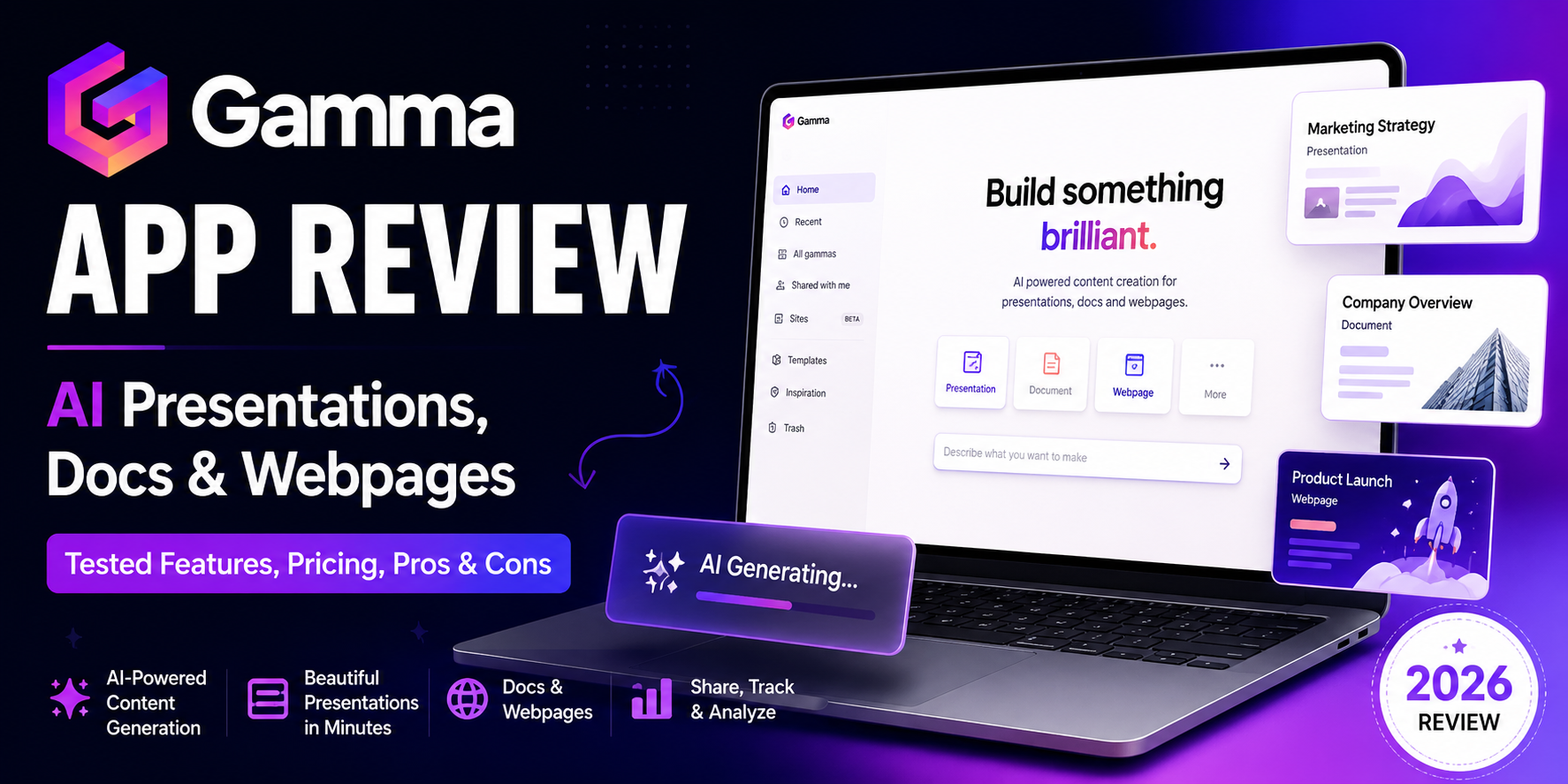
If you’re tired of spending hours building slide decks, polishing layouts, and formatting documents that still look average, Gamma is probably already on your radar. It’s one of the fastest-growing AI tools in the presentation space, promising to turn a simple prompt, rough outline, or existing document into a polished presentation, webpage, or visual document in minutes.
But does Gamma actually save time in the real world? Is it good enough for client decks, investor updates, internal reports, and lead-generation assets? And more importantly, is Gamma worth paying for in 2026?
In this detailed Gamma app review, I’ll break down what Gamma does well, where it falls short, who it’s best for, and whether it deserves a place in your workflow over tools like PowerPoint, Canva, Google Slides, or Beautiful.ai.
What Is Gamma?
Gamma is an AI-powered content creation platform built for presentations, documents, webpages, social-style visual content, and other card-based assets. Instead of forcing you to build slide-by-slide from scratch, Gamma lets you start with a prompt, paste in your notes, import a file, or use AI to generate a first draft automatically.
The platform is best known for its card-based presentation format. Rather than working inside traditional slide software from the start, Gamma creates visually structured content blocks that can function as:
- presentations,
- mini websites,
- interactive reports,
- one-pagers,
- internal docs,
- pitch decks,
- and client-facing visual summaries.
That positioning is what makes Gamma different from classic slide tools. It’s not just trying to replace PowerPoint. It’s trying to replace the entire “blank canvas + formatting headache” workflow.
Quick Verdict: Is Gamma Worth It?
Short answer:
- create presentations regularly for work, school, sales, or clients,
- need a faster way to turn notes into polished visual content,
- want to create presentations, docs, and simple webpages from one tool,
- prefer a modern shareable link over sending static slide files,
- care about time-to-first-draft more than pixel-perfect design control.
Yes—if your priority is speed, decent design, and fast AI-assisted content creation. Gamma is one of the best tools available for turning rough ideas into presentable, shareable content quickly.
Gamma is worth it if you:
Gamma may not be worth it if you:
- need highly custom enterprise-style presentations,
- rely heavily on perfect PowerPoint exports,
- want very detailed slide-by-slide design control,
- create data-heavy consulting decks that require precision formatting,
- expect the AI to always generate accurate subject-matter content without editing.
If I had to summarize Gamma in one line, it would be this:
Gamma is one of the fastest ways to go from idea to polished presentation draft—but it still works best when you treat AI output as a strong starting point, not the final product.
Key Features of Gamma
Gamma has evolved beyond “AI slide maker” positioning. Today, it sits somewhere between a presentation tool, a lightweight design platform, and an AI-powered publishing layer.
Here are the features that matter most.
1) AI Presentation Generation
This is Gamma’s headline feature and the main reason most people sign up.
You can generate a presentation by:
- entering a topic prompt,
- pasting notes or rough bullet points,
- uploading existing content,
- converting a document into a visual deck,
- or asking Gamma to rewrite and structure a draft for you.
Gamma then builds a complete first version with:
- a title structure,
- section breakdowns,
- design themes,
- layout blocks,
- suggested visuals,
- and editable card content.
Why this matters
The biggest value Gamma offers is speed. Instead of spending 90 minutes building the skeleton of a deck, you can often get a usable first draft in a few minutes.
This is especially useful for:
- client presentations
- internal reports
- training decks
- startup pitch outlines
- workshop slides
- proposal presentations
- educational explainers
- lead magnets and downloadable resources
Where it works best
Gamma works best when you already know the storyline or goal of the presentation, but don’t want to build it manually from scratch.
2) Card-Based Editing Instead of Traditional Slides
Gamma’s interface is not just “PowerPoint with AI.” It uses a card-based layout system where each section behaves like a visual content block. That makes the final output feel more flexible than a standard deck.
Instead of obsessing over text boxes and alignment on every slide, you can:
- add or remove cards,
- change layouts quickly,
- rearrange sections,
- regenerate content,
- rewrite sections with AI,
- and switch themes with far less friction.
Why people like this approach
The card format is excellent for:
- asynchronous sharing
- internal knowledge docs
- product overviews
- visual reports
- educational explainers
- pitch narratives
- mini landing-page style presentations
Where it can be polarizing
If you’re deeply attached to the traditional slide-by-slide workflow, Gamma may feel unfamiliar at first. Some users love the cleaner, more modern experience. Others still prefer the predictability of PowerPoint or Google Slides for formal presenting.
3) AI Documents and Webpages
One of Gamma’s biggest strengths is that it’s not limited to presentations.
You can also use it to create:
- visual documents,
- proposals,
- reports,
- onboarding materials,
- one-pagers,
- client summaries,
- training guides,
- and simple shareable webpages.
This matters because a lot of business content doesn’t actually need to live in a traditional slide deck. Sometimes you just want a clean, scannable, visually structured document you can send as a link.
For teams, freelancers, founders, and agencies, this makes Gamma more versatile than a standard presentation builder.
4) Fast Design Without Design Skills
Gamma’s best trick is making average users look more polished than they usually would in PowerPoint.
It helps by automating:
- layout structure,
- spacing,
- card hierarchy,
- theme consistency,
- visual arrangement,
- and often imagery placement.
For non-designers, that’s a huge win.
If you’ve ever spent an hour trying to make a deck “look professional” only to end up with mismatched fonts, awkward alignment, and random color choices, Gamma solves a lot of that pain.
This is where Gamma shines most:
- marketers creating campaign decks
- founders making investor updates
- consultants sending strategy summaries
- educators creating lessons
- creators building workshop slides
- agencies delivering client reports
5) Sharing, Embedding, and Presentation Delivery
Gamma isn’t only about creating decks. It’s also designed for sharing content online.
Instead of exporting everything as a static file, you can share Gamma work via link, which is especially useful for:
- proposals
- client presentations
- product overviews
- investor updates
- internal documentation
- async sales collateral
Depending on plan level, Gamma also supports more advanced publishing and sharing options, including custom domains on higher tiers and analytics/reporting features. That makes it more than a simple slide builder—it becomes a lightweight publishing tool for visual business content.
6) Import and Export Options
Gamma supports importing existing files such as PDF and PPTX, which is helpful if you want to repurpose old decks or source material into a more visual format. It also supports exporting to formats such as PDF, PPTX, PNG, and Google Slides, though exact access and experience can vary by plan.
Important caveat
This is one of the most common pain points in Gamma reviews:
PPTX export may not always preserve everything perfectly, especially when the Gamma layout is more dynamic than a standard slide deck. If your workflow depends on handing off a pristine PowerPoint file to executives, clients, or teams that will heavily edit it in PowerPoint, you should test this carefully before committing.
Gamma is strongest when the final output stays inside Gamma’s own shareable environment or when you export simpler layouts.
Gamma Pricing: How Much Does Gamma Cost?
Gamma currently offers multiple pricing tiers, including Free, Plus, Pro, Ultra, Teams, and Business plans. The exact billing options and feature availability can change, but the general structure is designed around AI usage, branding removal, advanced image models, collaboration, custom publishing, analytics, and API access.
Free Plan
The free version is good for testing the product and building lightweight projects. It includes:
- a starting credit allowance,
- limited generation capacity,
- basic content creation access,
- and export/import support with some restrictions.
Free is fine if you want to:
- test the AI workflow,
- create occasional personal presentations,
- try document generation,
- evaluate the interface before upgrading.
Paid Plans
Paid tiers unlock the real value of Gamma for professionals. Depending on plan, benefits can include:
- more AI creation capacity,
- more cards per prompt,
- branding removal,
- advanced AI image tools,
- premium models,
- analytics,
- custom domains,
- templates for teams,
- and API access on higher plans.
Is Gamma expensive?
That depends on your workflow.
If Gamma saves you even 2–4 hours per month on decks, proposals, or internal reports, it can easily justify the subscription for a freelancer, founder, marketer, or agency team. But if you only create a few presentations per year, the free plan or a simpler tool may be enough.
Gamma Pros and Cons
Pros of Gamma
1. Extremely fast first drafts
Gamma is one of the fastest tools I’ve seen for turning notes into a usable deck or visual document.
2. Strong visual polish for non-designers
It makes average users look more professional without requiring presentation design skills.
3. More versatile than a typical slide maker
You can create presentations, docs, one-pagers, and simple webpages from one platform.
4. Great for async sharing
Gamma’s link-based delivery makes it excellent for reports, updates, and client-facing content.
5. Useful for agencies, consultants, founders, and educators
It fits many business use cases where speed and clarity matter more than presentation theatrics.
6. Good structure generation
If you struggle with blank-page syndrome, Gamma helps you create a narrative structure quickly.
Cons of Gamma
1. AI output still needs editing
Like every AI content tool, Gamma can produce generic, shallow, or repetitive copy if your prompt is weak.
2. Not ideal for highly customized enterprise slides
If you need boardroom-level deck precision, you’ll probably still refine the output elsewhere.
3. PPTX export can be a weak point
If your final deliverable must live in PowerPoint with perfect formatting, Gamma may create extra cleanup work.
4. The card format isn’t for everyone
Some users will love it; others will still prefer traditional slide workflows.
5. Templates and AI styling can start to feel familiar
If you produce a very high volume of content, you may eventually notice recurring design patterns.
Gamma is a strong fit for people who care about speed, clarity, and shareable visual content more than deep design customization.
Who Should Use Gamma?
Gamma is best for:
- Founders building pitch decks, investor updates, and one-pagers
- Marketers creating campaign decks, strategy docs, and sales enablement materials
- Agencies preparing client proposals, reports, and presentations faster
- Consultants who want fast first drafts for internal and client-facing decks
- Teachers and course creators making lessons, explainers, and training content
- Freelancers turning ideas into polished deliverables without hiring a designer
- Sales teams creating presentation-based collateral and proposal decks
- Small teams that need better-looking content without a full design process
Who Should Skip Gamma?
Gamma may not be the best fit if you:
- build highly technical consulting decks with lots of complex charts,
- need pixel-perfect corporate slide formatting,
- rely heavily on PowerPoint as the final editable file,
- want maximum design control on every element,
- or work in a team where everyone is deeply embedded in traditional Office workflows.
In those cases, Gamma can still be useful for ideation and first drafts, but maybe not as your final production environment.
Gamma vs PowerPoint
This is one of the biggest questions people ask.
Gamma wins on:
- speed
- AI-assisted content generation
- modern layouts
- quick visual polish
- async shareability
- ease for non-designers
PowerPoint wins on:
- enterprise familiarity
- fine-grained control
- advanced formatting
- offline workflows
- compatibility in corporate environments
- presenter comfort for traditional slide delivery
If you’re building a board meeting deck for a large enterprise with strict formatting requirements, PowerPoint still has an edge. If you want to create a good-looking draft fast and share it as a polished visual asset, Gamma is often the better tool.
Gamma vs Canva
Canva and Gamma overlap, but they’re not identical.
Choose Gamma if you want:
- AI-generated presentations from prompts
- faster structure creation
- visual docs and presentation-style assets
- less manual design work
- a stronger workflow for narrative decks and one-pagers
Choose Canva if you want:
- more graphic design flexibility
- social media design control
- brand kit-heavy visual workflows
- template variety across many asset types
- more manual editing freedom
Gamma is better for AI-first presentation and document workflows. Canva is better when you need a broader design toolkit across many marketing formats.
Gamma vs Beautiful.ai
Beautiful.ai is another presentation tool often compared with Gamma.
Gamma feels stronger when:
- you want more AI help generating content,
- you need docs or webpages in addition to presentations,
- you want a more flexible visual storytelling workflow.
Beautiful.ai can appeal more if:
- your focus is presentation layout automation only,
- you prefer a more traditional presentation-centered experience,
- or you like a tighter presentation design framework.
Real-World Use Cases Where Gamma Makes Sense
Here’s where Gamma is genuinely useful in day-to-day work:
1. Pitch decks
Founders can use Gamma to turn a startup idea, investor memo, or rough outline into a clean first draft quickly.
2. Client proposals
Agencies and freelancers can transform scopes, recommendations, and strategic plans into visual proposals without spending hours formatting.
3. Internal reports
Instead of sending another ugly document or long email, teams can create scannable updates with visuals, sections, and summaries.
4. Training and onboarding materials
Gamma works well for internal training decks, SOP summaries, onboarding guides, and team education resources.
5. Sales collateral
Sales teams can create account-specific presentation assets, mini overviews, and proposal decks faster.
6. Educational content
Teachers, coaches, and course creators can turn lesson outlines into presentation-ready content with less manual design work.
If your main question is “Should I use Gamma?”, my answer is this:
Use Gamma if you want to reduce presentation production time dramatically.
That’s the real value here. Not “perfect AI,” not “replace every design tool,” and not “never touch PowerPoint again.”
Gamma’s biggest advantage is that it shortens the path from:
- idea → structure
- structure → visual draft
- visual draft → shareable presentation or doc
And for most professionals, that’s enough to make it worth testing.
Where people get disappointed is when they expect Gamma to produce a fully polished, deeply strategic, factually perfect deck with zero editing. That’s not how most AI presentation tools work. The best way to use Gamma is to let it handle the heavy lifting of structure, layout, and speed—then apply your own judgment to improve the final result.
Final Verdict: Is Gamma Worth It in 2026?
Yes—Gamma is worth it for the right user.
If you create presentations, visual docs, or client-facing materials regularly and want to cut down production time without sacrificing decent design, Gamma is one of the strongest tools in the category.
Gamma is a strong buy for:
- founders
- marketers
- agencies
- consultants
- educators
- freelancers
- teams producing repeatable visual content
Gamma is less ideal for:
- highly customized corporate slide work
- precision-heavy PowerPoint workflows
- advanced data storytelling decks that need full manual control
Final rating:
Gamma is one of the best AI presentation tools for speed, usability, and polished first drafts—but you’ll get the best results when you use it as a smart co-creator rather than expecting it to do the entire job perfectly on autopilot.
Try Gamma If You Want Faster Presentations Without the Design Headache
If you regularly create pitch decks, reports, client presentations, or visual documents, Gamma is worth testing—especially if your current workflow involves wasting hours in PowerPoint or Google Slides.
Try Gamma and see how quickly you can turn a rough idea into a polished presentation, document, or shareable webpage.
Yes, Gamma offers a free plan that lets you test the platform and create projects with usage limits. Paid plans unlock more AI capacity, branding removal, advanced features, and team capabilities.
Frequently Asked Questions About Gamma
Is Gamma free to use?
Is Gamma better than PowerPoint?
It depends on your workflow. Gamma is better for speed, AI-assisted creation, and visual first drafts. PowerPoint is still stronger for deep formatting control and enterprise presentation workflows.
Can Gamma create websites too?
Yes. Gamma can be used to create shareable webpages and web-style visual content in addition to presentations and documents.
Is Gamma good for pitch decks?
Yes, Gamma is a solid option for creating startup pitch deck drafts, investor updates, and sales presentations quickly. You may still want to refine the final version before high-stakes meetings.
Does Gamma export to PowerPoint?
Gamma supports PPTX export, but results may vary depending on the complexity of your deck. If PowerPoint compatibility is critical, test the export workflow before relying on it.
Who should use Gamma?
Gamma is ideal for founders, marketers, agencies, freelancers, consultants, and educators who want to create polished presentations and visual docs faster.
Conclusion
Gamma isn’t just another AI slide tool trying to automate presentations. It’s closer to a visual communication platform for modern teams, creators, and professionals who need to turn ideas into polished content quickly.
It won’t replace every presentation workflow. It won’t eliminate editing. And it won’t magically turn weak ideas into world-class storytelling.
But if your goal is to create faster, cleaner, better-looking presentations and documents with less manual effort, Gamma is absolutely one of the tools worth trying.